PowerShell: Unable to Download the List of Available Providers
On this page
When VS Code prompted me to update PackageManagement it ran this command automatically:
powershell.exe -NoLogo -NoProfile -Command 'Install-Module -Name PackageManagement -Force -MinimumVersion 1.4.6 -Scope CurrentUser -AllowClobber'And returned these warnings before failing:
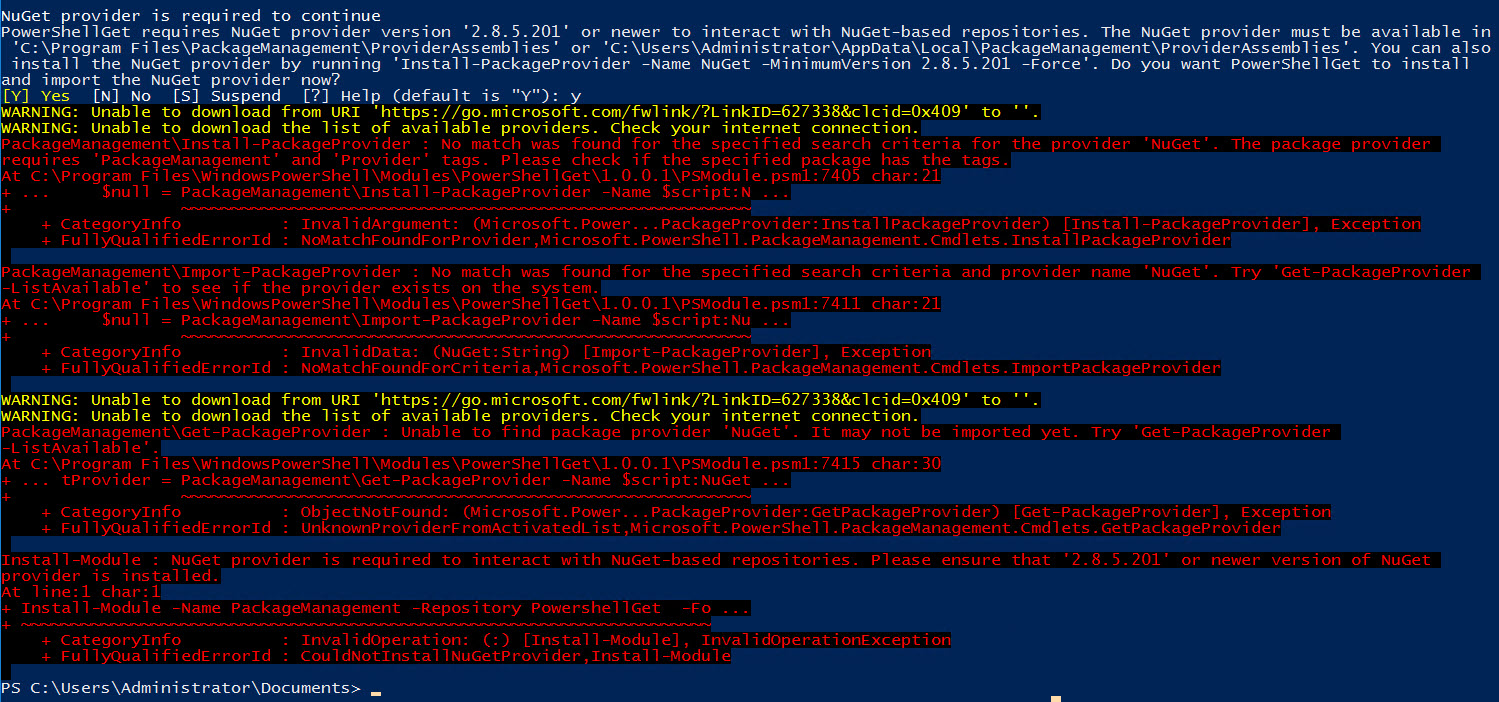
WARNING: Unable to download from URI 'https://go.microsoft.com/fwlink/?LinkID=627338&clcid=0x409' to ''.
WARNING: Unable to download the list of available providers. Check your internet connection.
The internet connection wasn’t the problem.
Cause
The PowerShell session was using TLS 1.0 or 1.1 by default. The PowerShell Gallery requires TLS 1.2, so any attempt to reach it fails, including provider list downloads that happen before Install-Module even starts.
Fix
Force TLS 1.2 in the current session before running the install:
[Net.ServicePointManager]::SecurityProtocol = [Net.SecurityProtocolType]::Tls12
Install-Module -Name PackageManagement -Force -MinimumVersion 1.4.6 -Scope CurrentUser -AllowClobber
If you hit this frequently, you can set TLS 1.2 as the default for all PowerShell sessions by adding the ServicePointManager line to your $PROFILE.
Why this happens
Older versions of Windows and .NET default to TLS 1.0. Microsoft deprecated TLS 1.0 and 1.1 on the PowerShell Gallery in 2020, so sessions running on older defaults started failing around that time. Windows 10 with PowerShell 5.1 is the most common combination where this surfaces.