Plex Disabled After DSM 6.1.1 Update
After the DSM 6.1.1 update dropped for Synology devices, anyone running Plex Media Server was greeted with a warning during the update process: Plex would not start again after the update completed.
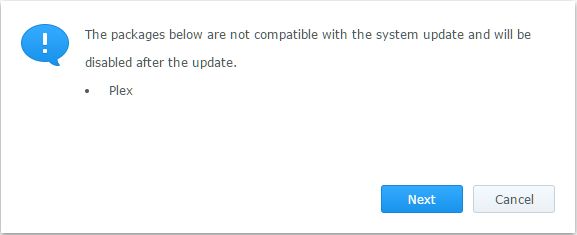
The fix is simple — stop Plex before applying the update, then start it again once DSM has finished installing.
Step 1 — Stop Plex
In DSM, open Package Center, find Plex Media Server and stop it before proceeding with the update.
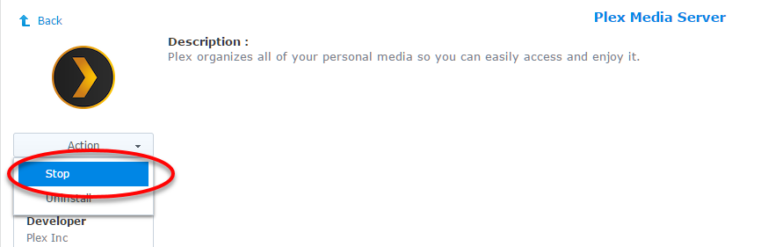
Step 2 — Apply the DSM update
With Plex stopped, go ahead and install the DSM 6.1.1 update as normal.
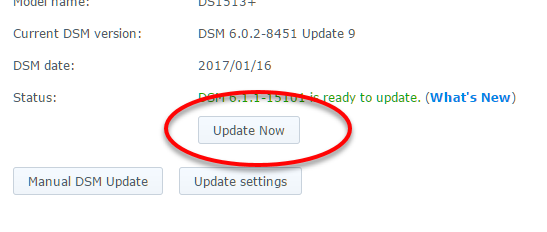
Step 3 — Start Plex again
Once DSM has finished updating and the NAS has rebooted, go back to Package Center and start Plex Media Server.
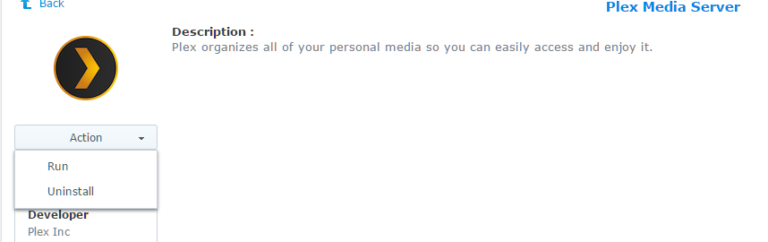
Plex should come back up without issue. The warning during the update is accurate — Plex won’t auto-start after the update — but stopping it cleanly first means it starts without problems once you manually kick it off again.