RDCMan: There Were Problems Decrypting Some Credentials
If you’ve copied your Remote Desktop Connection Manager .rdg file to a new machine and are greeted with a dialog saying “There were problems decrypting some credentials”, you’re not alone. It’s a predictable consequence of how RDCMan stores passwords.
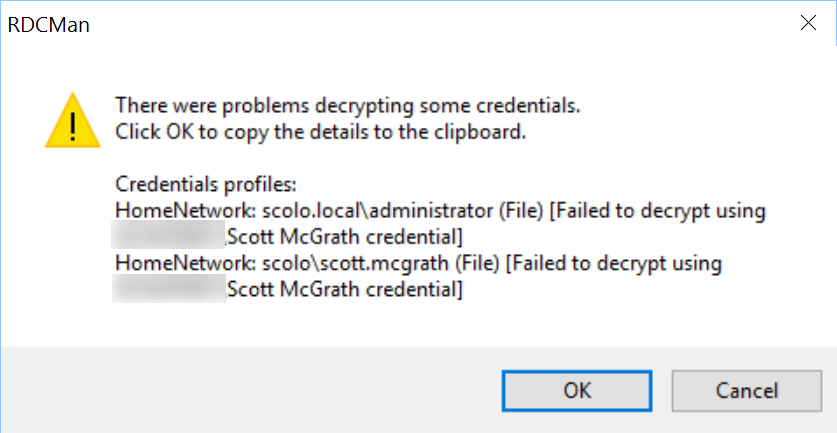
Why it happens
RDCMan encrypts saved credentials using the Windows Data Protection API (DPAPI). DPAPI ties encryption to the current user’s account on the current machine — the keys are not portable. When you move the .rdg file to a different computer, RDCMan can no longer decrypt the stored passwords because the keys don’t exist there.
The fix
The quickest resolution is to re-enter credentials for the affected profiles:
- In RDCMan, right-click the profile or group showing the error and open Properties.
- Go to the Credentials tab.
- Re-enter your username and password.
- Click OK and save the file.
If multiple profiles share a parent group with inherited credentials, updating the credentials at the group level will fix all child connections at once — you won’t need to update each server individually.
Avoiding the problem in future
If you regularly move between machines, consider setting RDCMan to prompt for credentials at connect time rather than storing them. That way there’s nothing to decrypt and the .rdg file moves cleanly.
Alternatively, store credentials at the top-level group and inherit them downward — fewer places to update when you do need to re-enter them.